 ChatGPT
 Claude
 Perplexity
 Google AI
 Grok
Grok



Gain measurable savings by streamlining resource usage, eliminating cloud waste, and implementing cost-efficient architecture that strengthens your long-term ROI.
#DrivingExpertLedTransformation
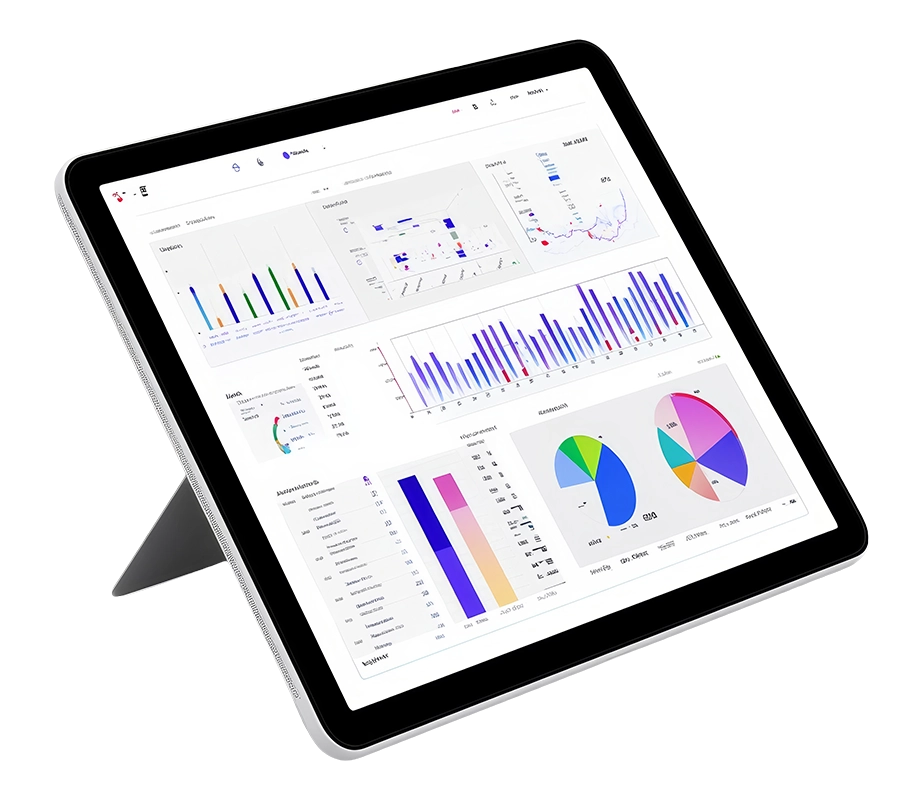

When your organization migrates to the cloud, the possibilities feel limitless. Applications scale instantly, performance improves overnight, and innovation moves faster than ever. Yet for you, that initial excitement slowly gives way to an unexpected reality: cloud bills that keep rising without explanation. What begins as a cost-efficient strategy can quickly become an expensive challenge when visibility, accountability, and financial governance fall through the cracks.
It’s a familiar story. Your team sets up the environment, allocates resources generously to avoid performance issues, and assumes they will review cloud spending later. Budgets are checked only once a year—if at all. Only a handful of people know where the cloud configuration lives, and when they switch roles or take time off, no one monitors usage. As workloads grow, so do the bills, and organizations end up paying for idle servers, unused storage, and forgotten test environments.
The truth is simple: sustainable cloud success requires discipline. Continuous monitoring, shared ownership, and proactive cost controls are no longer optional. The same budgeting principles that have always applied still hold strong—if nobody owns the numbers, costs will spiral.
This blog will help you with practical strategies to regain control, maximize value, and turn Azure cost management into a competitive advantage.
Cloud spending begins to escalate not because workloads are unpredictable, but because resources that run consistently over long periods continue to be billed at full on-demand rates. Think of a production environment running 24/7 or a mission-critical analytics system that never pauses. Paying standard prices month after month is like renting equipment forever instead of buying it when you know you’ll use it every day.
This is where Azure cost management best practices become transformative. By committing to Azure Reserved Instances, you can secure significant long-term savings (often up to 72% for eligible workloads compared to pay-as-you-go pricing) . Prepare for the compute capacity you already know you will need over one- or three-year terms. These reservations ensure:
When workloads are steady, stop paying premium rates. Reserve capacity, reduce costs, and channel the savings directly into innovation.
Your business unknowingly overspends in the cloud simply because the resources are larger than what your workloads require. It’s the equivalent of renting a full-sized stadium for a small team practice—possible, but unnecessarily expensive. One of the most effective strategies for improving efficiency in Azure cloud cost management is right-sizing resources so you pay only for what you truly use. Azure provides a varied range of compute, storage, as well as networking options, each designed for different performance levels and pricing needs. With built-in performance monitoring and autoscaling, you can continuously adjust resource sizes based on real demand, rather than fixed assumptions.
For example, Azure Advisor strengthens this approach by analyzing real usage patterns and identifying virtual machines that sit idle.If a VM shows consistently low CPU and network utilization over a defined period (for example, an average CPU below 5% over several days), Advisor flags it as a right-sizing candidate. This lets you shift them to lower-cost options without affecting performance. Minor adjustments like these can convert cloud waste into meaningful savings and free up budget for innovation.
Smart financial planning has always separated successful cloud adopters from those caught off guard by unexpectedly high invoices. Too often, you rush to deploy new workloads with enthusiasm, only to face a budget shock later when usage scales faster than anticipated. A proactive approach, grounded in forecasting and clarity, can prevent this cycle. One of the most effective tools for planning is Azure’s Pricing Calculator, which lets you model real-world scenarios before a single resource goes live.
With this tool, you can configure services, adjust capacity assumptions, and instantly view estimated monthly costs. It also enables side-by-side comparisons across pricing models—pay-as-you-go, Reserved Instances, and other savings options where applicable (such as Savings Plans for compute, and Azure Hybrid Benefit where eligible). For Spot VMs, you can also explore indicative pricing and should validate capacity and eviction behavior against Microsoft’s Spot guidance, since these differ from standard VMs. By integrating this discipline into your deployment process, you gain control over spending, eliminate surprises, and deploy with confidence.
Ultimately, thoughtful planning is at the core of Azure billing and cost management, ensuring every resource delivers value.
You start your cloud journey optimistically, only to find costs quietly spiraling out of control. Bills mount, budgets strain, and teams scramble to track spending. True control comes from timely cost visibility and shared accountability, exactly what Azure’s monitoring and governance tools deliver.
With Azure cost management pricing tools, you can:
Budgets and automated alerts make it possible for you to act early rather than react too late, while cost-saving recommendations highlight quick wins and structural improvements. You can also download invoices, evaluate trends, and set clear financial expectations that align technology decisions with your business strategy.
Proactive monitoring turns cloud costs from an ambiguity into a controlled, predictable investment, empowering your team to stay on budget and accelerate innovation.
It’s easy to overlook idle resources in the cloud, but they quietly rack up costs month after month. Virtual machines left running, storage accounts collecting dust, or databases no longer in use can turn small oversights into significant expenses. For example, a growing e-commerce company might discover it is spending thousands of dollars every month on virtual machines and storage accounts that are no longer needed. By systematically identifying and removing these idle resources, teams can quickly reclaim a meaningful portion of their cloud budget—freeing up spend for innovation rather than waste.
The key is visibility and proactive management. Using Azure’s tagging system, you can organize resources by project, owner, or environment, while Azure Policy enforces rules to prevent unmanaged growth. Automation and scripting take this further, allowing resources to be deallocated or deleted automatically based on usage triggers. Alerts can notify you when costs spike, keeping your team informed in real time.
By staying vigilant and cleaning up unused assets, you can turn wasted cloud spend into meaningful savings, , while ensuring cloud investments drive value, not waste.
Controlling cloud infrastructure costs is not a one-time task for you. It demands ongoing vigilance, which can easily overwhelm your already stretched CloudOps team. The key is knowing what is required to use Azure Cost Management effectively and applying Azure cost management best practices consistently.
You can leverage solutions built on advanced machine learning, AI, and analytics that go beyond basic cost visibility. These tools not only provide actionable guidance but also automate workload management across the most cost-effective mix of Spot VMs, Reserved Instances, and pay-as-you-go options. Use Spot VMs for interruption-tolerant workloads (since Spot capacity can be evicted at any time) and keep mission-critical workloads on a mix of pay-as-you-go, reservations, or savings plans with resilience intentionally designed into the architecture. This approach ensures that resources remain highly available and performant while delivering predictable, optimized costs.
The takeaway is clear: with intelligent automation and systematic cost management, your team can maintain cloud agility, optimize spending, and focus on innovation rather than manual monitoring.
Automate cloud efficiency and eliminate unnecessary infrastructure spending. Optimize your costs now!

Azure Cost Management provides timely visibility, budgeting, and usage insights, enabling organizations to control spending, eliminate waste, and maintain predictable cloud costs for sustainable growth.
Reserved Instances offer discounted pricing for predictable, long-running workloads when committing to one- or three-year terms, often delivering savings of up to 72% versus pay-as-you-go rates for eligible services.
Right-sizing matches resource capacity to actual usage by adjusting underutilized virtual machines and services, preventing overspending without sacrificing performance or availability.
The Pricing Calculator estimates monthly costs before deployment, compares pricing models, and helps teams plan workloads confidently with accurate financial forecasting and transparent cost structures.
By identifying and removing unused resources, applying governance policies, automating cleanup, and enforcing tagging, organizations prevent unmanaged growth and avoid paying for idle infrastructure.
Use AI to summarize this article



| Cookie | Duration | Description |
|---|---|---|
| cookielawinfo-checkbox-analytics | 11 months | This cookie is set by GDPR Cookie Consent plugin. The cookie is used to store the user consent for the cookies in the category "Analytics". |
| cookielawinfo-checkbox-functional | 11 months | The cookie is set by GDPR cookie consent to record the user consent for the cookies in the category "Functional". |
| cookielawinfo-checkbox-necessary | 11 months | This cookie is set by GDPR Cookie Consent plugin. The cookies is used to store the user consent for the cookies in the category "Necessary". |
| cookielawinfo-checkbox-others | 11 months | This cookie is set by GDPR Cookie Consent plugin. The cookie is used to store the user consent for the cookies in the category "Other. |
| cookielawinfo-checkbox-performance | 11 months | This cookie is set by GDPR Cookie Consent plugin. The cookie is used to store the user consent for the cookies in the category "Performance". |
| viewed_cookie_policy | 11 months | The cookie is set by the GDPR Cookie Consent plugin and is used to store whether or not user has consented to the use of cookies. It does not store any personal data. |